01 / QR PAIRING
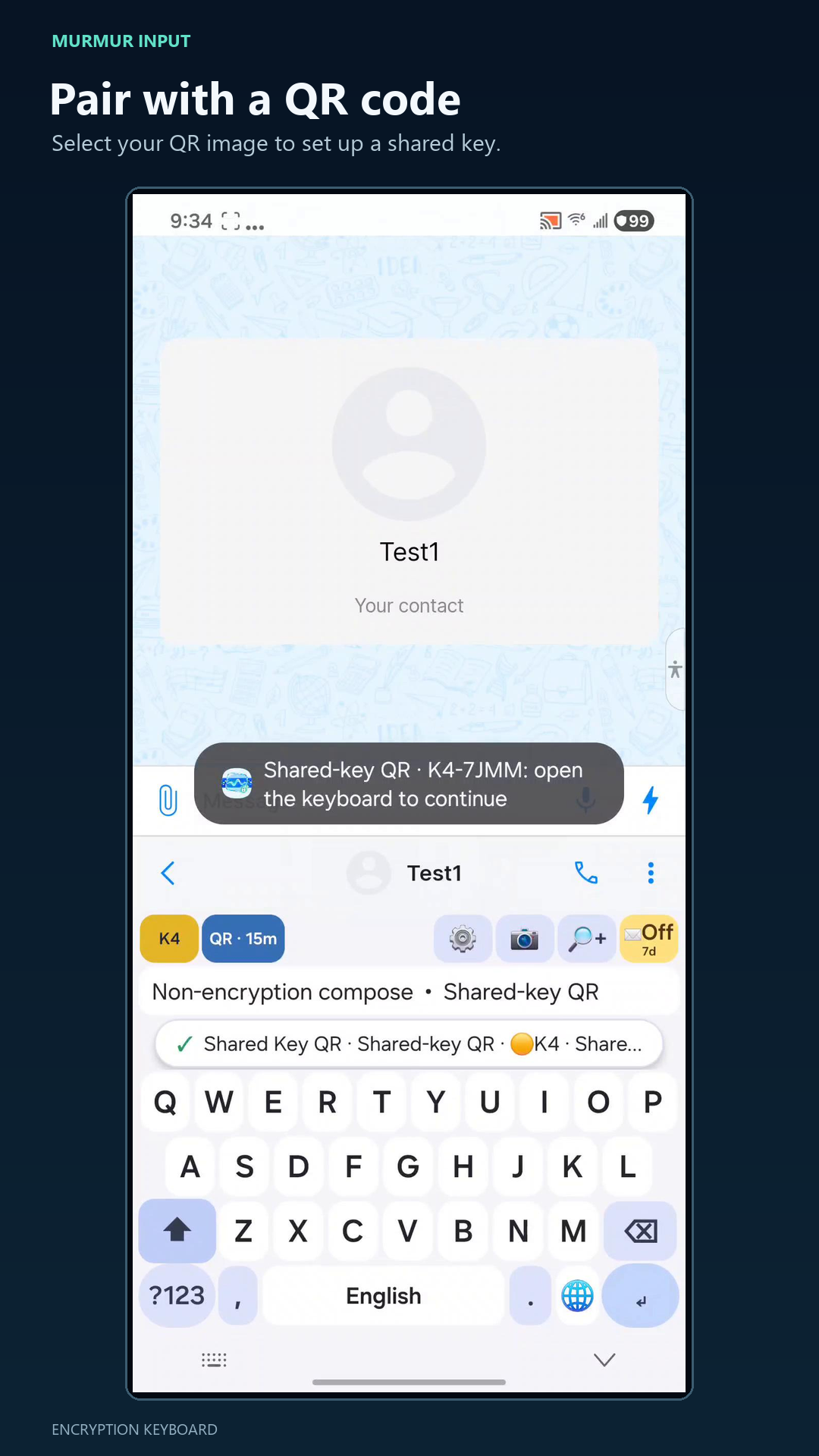
Pair from a QR code
Select or scan a pairing QR to establish a shared key with someone you trust.
Murmur Input turns encrypted messages into portable emoji text you can send through the chat apps you already use. It supports encrypted message exchange between Android and iOS.
Both people use compatible Murmur Input versions and the same secret key. The encrypted emoji text can travel through compatible chat, SMS, email, and text-sharing services.
Select or scan a pairing QR to establish a shared key with someone you trust.
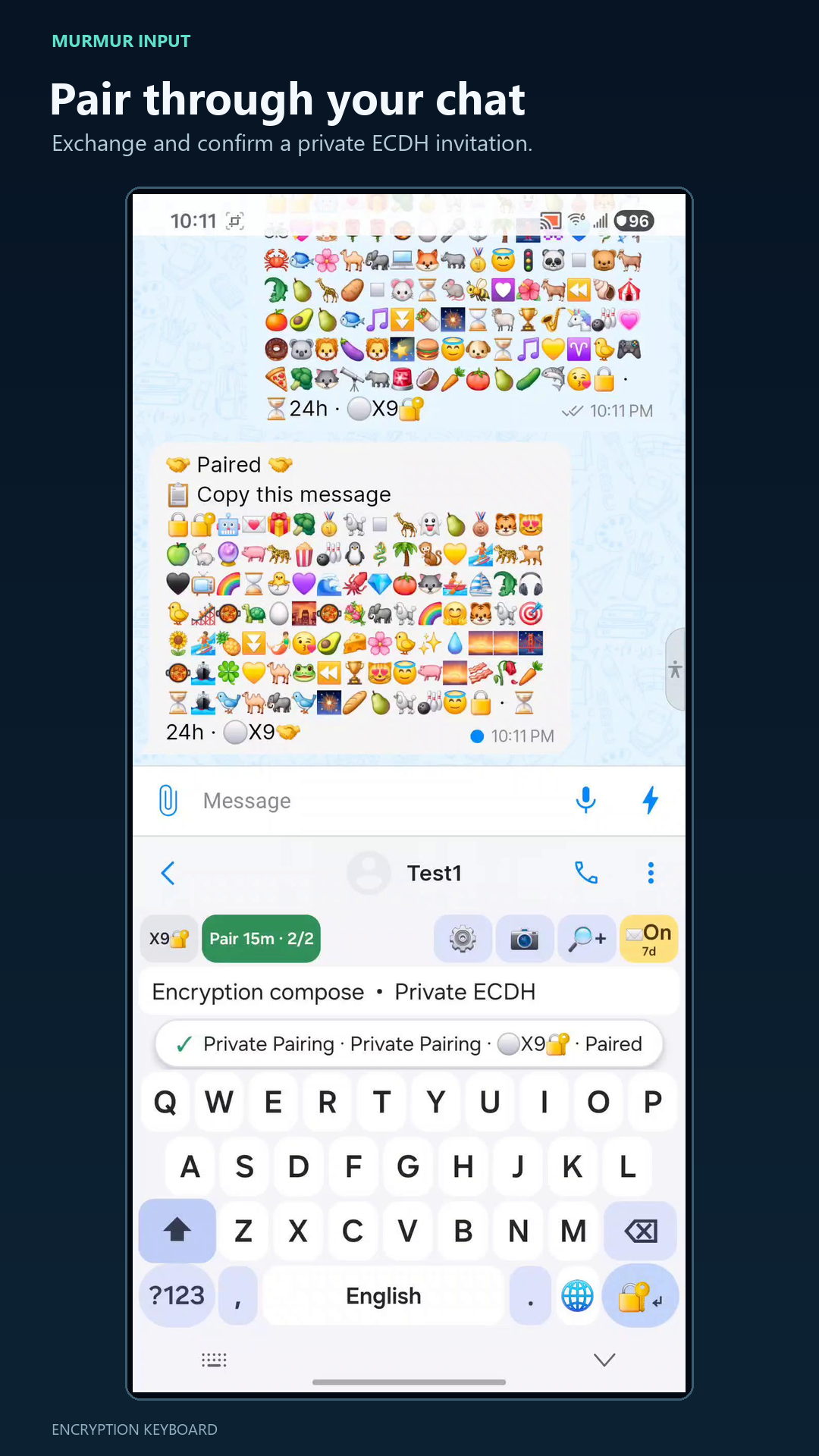
Exchange an invitation and response, then confirm the private pairing inside your conversation.
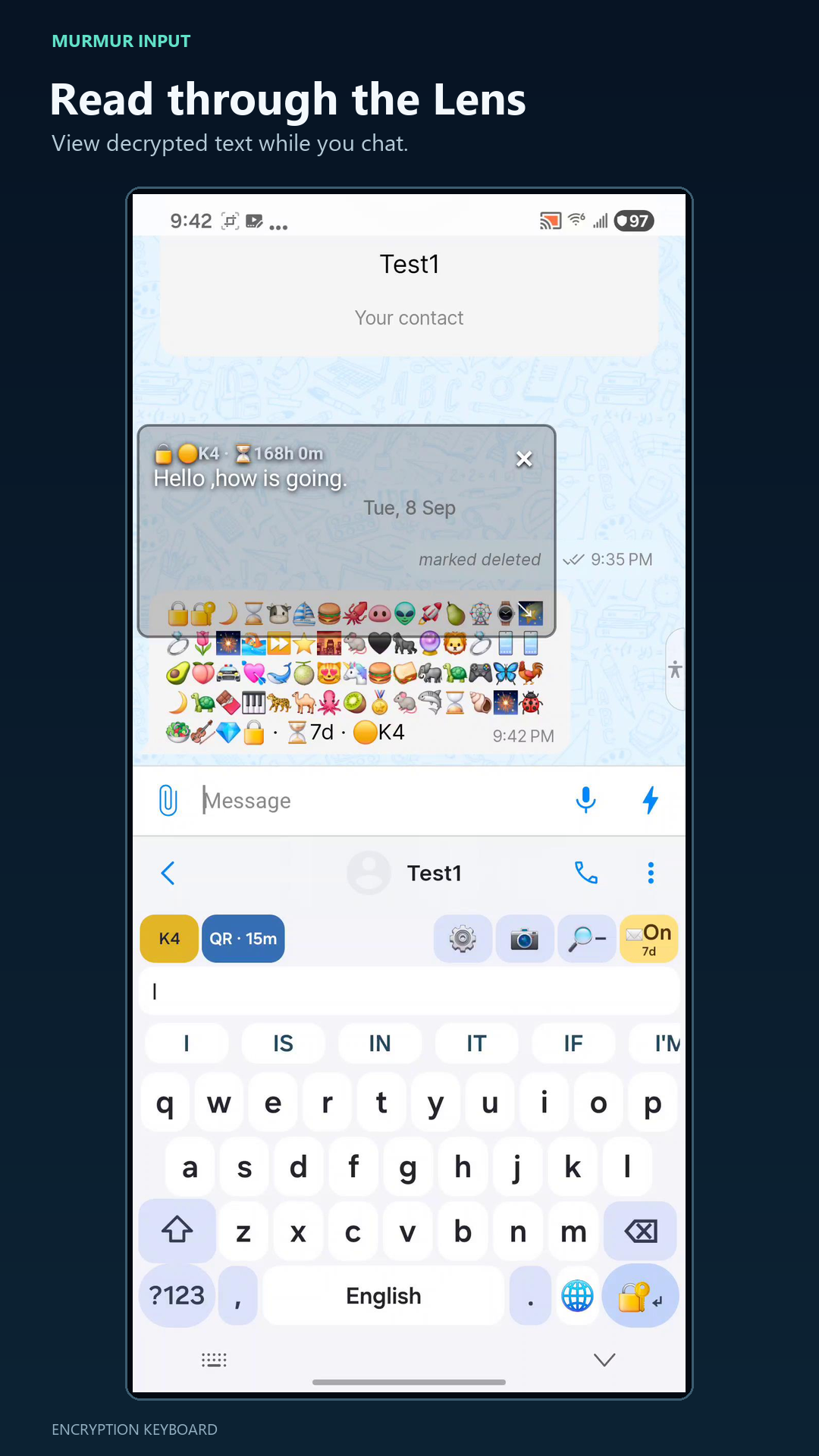
Move the floating Decryption Lens over an encrypted message to read it while you chat.
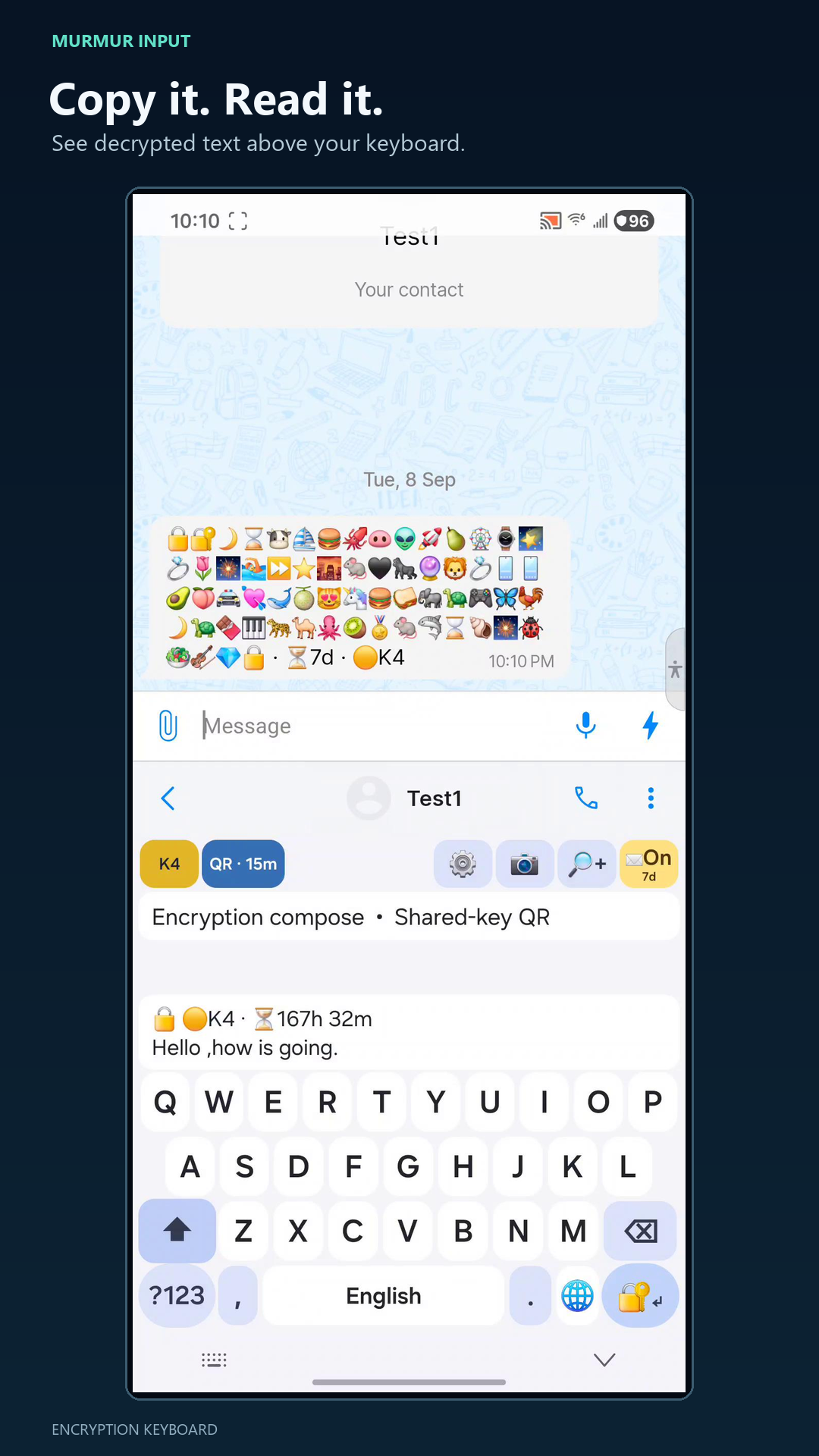
Copy encrypted text to view the decrypted message above the keyboard, then write a private reply.
Watch the full demonstration of pairing, encrypting, sending, and decrypting private messages with the keyboard.
Use the Android QR code to open Murmur Input in Google Play. The iOS App Store QR will be added as soon as the iOS listing is live.
Available on Google Play
Link will be added after release
Murmur Input encrypts and decrypts messages on your device. Your chosen chat service carries the encrypted emoji text, not the readable message.
Read the privacy policyClear answers about the Murmur Input encryption keyboard and its cross-platform workflow.
Murmur Input is an encryption keyboard that turns private messages into encrypted emoji text you can send through compatible chat, SMS, email, and text-sharing services.
Yes. Murmur Input supports encrypted message exchange between Android and iOS when both people use compatible app versions and the matching secret key.
Encryption and decryption run on your device after pairing. Sending the encrypted text still uses the normal connection required by your chosen chat or messaging service.
Pair by sharing a QR key with someone you trust or by exchanging and confirming a private ECDH invitation and response through chat.